Creative guide
Write a coloring-page prompt with room for color
Build a clear prompt with a subject, scene, line style, and level of detail, then refine the parts that make a page hard to color.
Describe the page in four useful parts
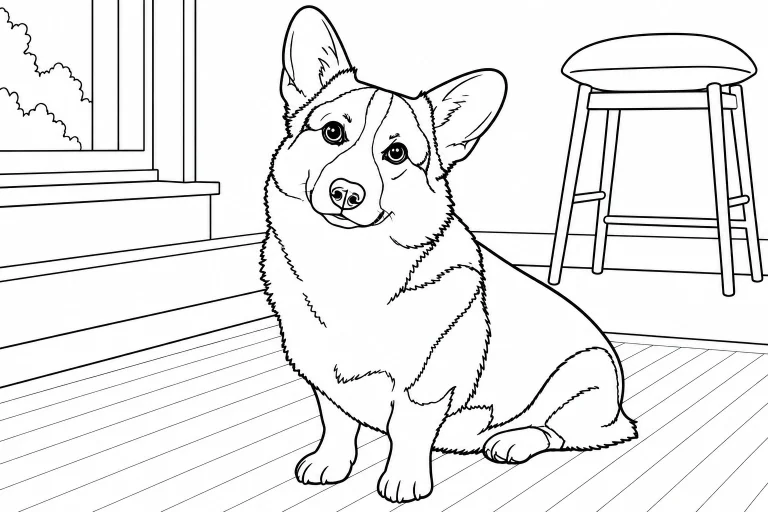
Start with the subject, add one setting or action, describe the line style, and finish with the amount of detail you want. This gives the model a concrete drawing task. A list of unrelated themes often produces a crowded composition with no clear focal point.
For example: ‘A friendly turtle beside two seashells, black outlines on a white background, large closed shapes, minimal detail, no shading or text.’ The turtle is the subject, the shells add a small scene, and the remaining instructions describe a page that leaves space to color. The result still needs to be reviewed; a prompt cannot guarantee every boundary will be closed.
Set the difficulty through shapes, not just an age label
‘For children’ is less specific than ‘one large subject, thick outlines, a plain background, and broad coloring areas.’ For someone who enjoys a longer session, ask for medium-sized shapes and a few repeated details. State how much detail you want rather than relying only on an age group.
Be careful with combinations such as ‘extremely detailed, very simple, photorealistic cartoon.’ These instructions pull in different directions. Decide whether the activity should emphasize a recognizable subject, decorative detail, or easy coloring, then make the rest of the prompt support that choice.
- Simple: one smiling dinosaur, two plants, bold outlines, large blank shapes.
- Moderate: a garden shed with pots and flowers, clear outlines, medium-sized spaces.
- Detailed: a botanical arrangement with distinct leaves and petals, fine outlines, no gray shading.
Ask explicitly for white space
A scene can be attractive and still be difficult to color. Ask for black line art on a white background, no solid black fills, and no grayscale shading if those are your goals. Keep decorative borders optional; they can use space that would otherwise belong to the main subject.
Words such as ‘cinematic lighting’ or ‘rich texture’ may encourage shadows and dense marks. Replace them with a description of the outlines and open spaces. If a result is too busy, remove background objects before adding more instructions. A shorter, more focused prompt is often easier to revise.
Change one thing and inspect the next result
Keep the parts that work. If the subject is right but the page is crowded, ask for fewer objects and larger open areas. If outlines are too faint, ask for bolder linework. If the composition feels empty, add one supporting element instead of replacing the entire scene.
Check the generated page at the size you plan to print. Inspect fine details and any unexpected letters or shapes before exporting. ColorPicnic’s text-to-coloring workflow uses an account and creation credits, so it helps to decide your subject and difficulty before you generate. For an activity that needs no generation, browse the existing printable catalog instead.
ColorPicnic · Editorial standards